The TruthVouch Trust API is a REST API that lets you verify any piece of content against your organisation’s ground truth. It returns a structured trust score, a list of flagged claims, and actionable remediation guidance. This guide walks you through your first verification request from zero to a working integration.
API access is included with all Hallucination Shield plans, starting from Starter ($349/mo) with 1,000 API calls/month. For the full developer experience (interactive playground, webhooks, RAG proxy), you’ll need Professional ($1,199/mo) or above. Overage beyond your plan’s included quota is billed at $0.03 per call.
Step 1: Access the Trust API Dashboard
The Trust API dashboard is your central hub for API key management, usage analytics, and the interactive playground.
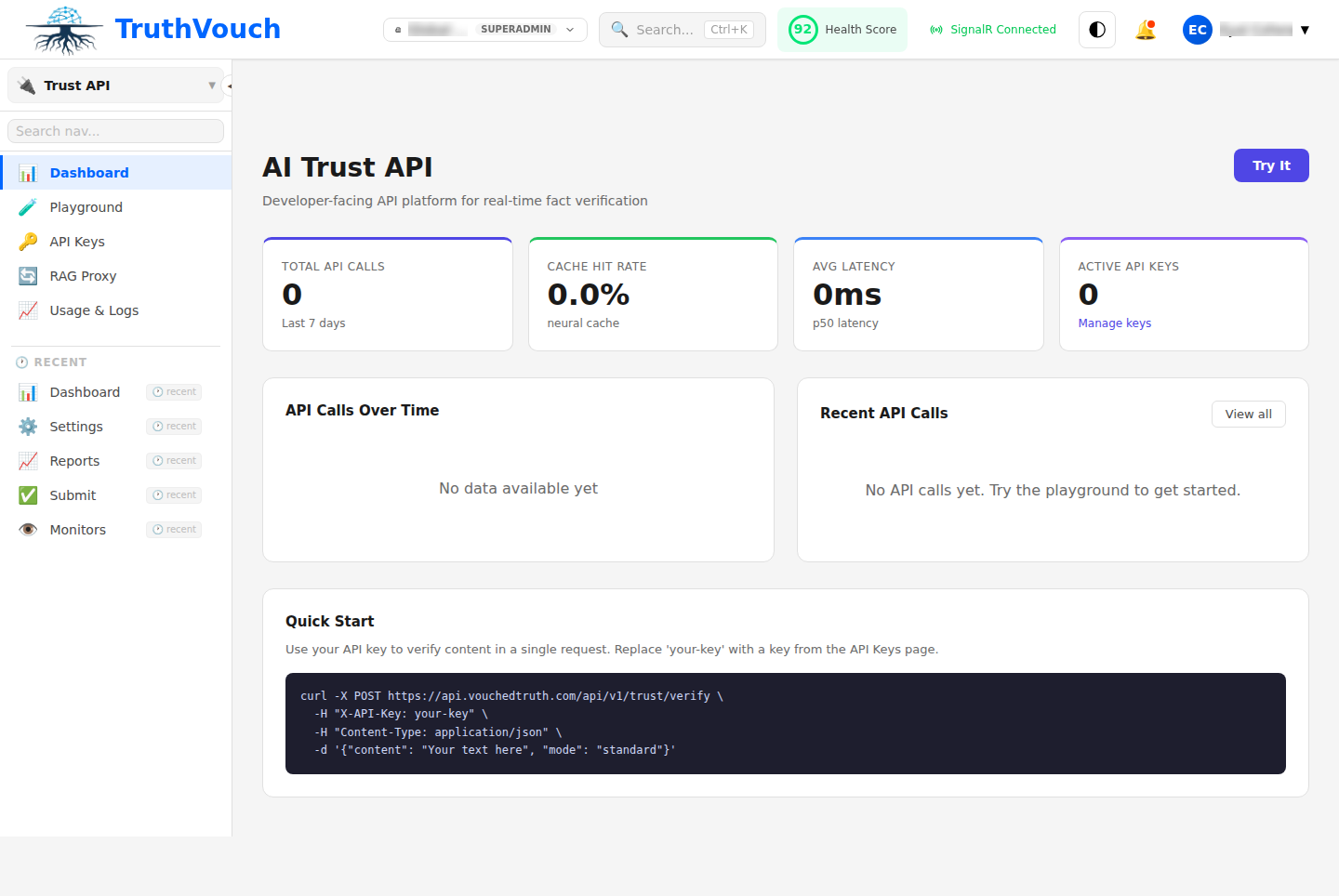
- Log in to app.truthvouch.ai
- Select Trust API from the left navigation sidebar
- The dashboard shows your monthly request volume, average trust scores, and recent verification activity
Before making API calls, you need to understand two key concepts:
- Verification sets: Logical groupings of Truth Nuggets used for verification. A “Product Specs” set might contain your feature list and pricing; a “Compliance” set might contain your regulatory obligations.
- Trust score: A 0.0–1.0 confidence rating. Scores above 0.85 indicate the content is well-supported by your Truth Nuggets. Scores below 0.60 indicate significant claims that cannot be verified or directly contradict your ground truth.
Step 2: Generate an API Key
- From the Trust API dashboard, click API Keys in the top tab bar
- Click + New API Key
- Name the key (e.g.
quickstart-test) - Select scopes: for this quickstart, enable
verify:readandverify:write - Click Create Key and copy the key immediately
Set the key as an environment variable:
export TRUTHVOUCH_API_KEY="tvk_live_xxxxxxxxxxxxxxxxxxxxxxxx"You will also need your Organisation ID, visible in your account settings at the top right of any platform page (format: org_xxxxxxxxxxxxxxxx).
Step 3: Make Your First Verification Request
The primary endpoint is POST /api/v1/verify. It accepts the content to verify and the ID of the Truth Nugget set to verify against.
curl
curl -X POST https://api.truthvouch.ai/api/v1/verify \
  -H "Authorization: Bearer $TRUTHVOUCH_API_KEY" \
  -H "Content-Type: application/json" \
  -d '{
    "content": "TruthVouch Starter plan costs $349 per month and includes 1,000 API calls per month.",
    "nugget_set_id": "ns_your_set_id_here",
    "options": {
      "return_flagged_claims": true,
      "return_remediation": true,
      "min_confidence": 0.6
    }
  }'
Python
import os
import requests

TRUTHVOUCH_API_KEY = os.environ["TRUTHVOUCH_API_KEY"]

def verify_content(content: str, nugget_set_id: str) -> dict:
    response = requests.post(
        "https://api.truthvouch.ai/api/v1/verify",
        headers={
            "Authorization": f"Bearer {TRUTHVOUCH_API_KEY}",
            "Content-Type": "application/json",
        },
        json={
            "content": content,
            "nugget_set_id": nugget_set_id,
            "options": {
                "return_flagged_claims": True,
                "return_remediation": True,
                "min_confidence": 0.6,
            },
        },
        timeout=30,
    )
    response.raise_for_status()
    return response.json()


result = verify_content(
    content="TruthVouch Starter plan costs $349 per month and includes 1,000 API calls per month.",
    nugget_set_id="ns_your_set_id_here",
)
print(f"Trust score: {result['trust_score']}")
print(f"Flagged claims: {len(result['flagged_claims'])}")
Node.js
import fetch from 'node-fetch';  // or use native fetch in Node 18+

const TRUTHVOUCH_API_KEY = process.env.TRUTHVOUCH_API_KEY;

async function verifyContent(content, nuggetSetId) {
  const response = await fetch('https://api.truthvouch.ai/api/v1/verify', {
    method: 'POST',
    headers: {
      'Authorization': `Bearer ${TRUTHVOUCH_API_KEY}`,
      'Content-Type': 'application/json',
    },
    body: JSON.stringify({
      content,
      nugget_set_id: nuggetSetId,
      options: {
        return_flagged_claims: true,
        return_remediation: true,
        min_confidence: 0.6,
      },
    }),
  });

  if (!response.ok) {
    throw new Error(`TruthVouch API error: ${response.status} ${response.statusText}`);
  }

  return response.json();
}

const result = await verifyContent(
  'TruthVouch Starter plan costs $349 per month and includes 1,000 API calls per month.',
  'ns_your_set_id_here'
);
console.log(`Trust score: ${result.trust_score}`);
console.log(`Flagged claims: ${result.flagged_claims.length}`);
Step 4: Understand the Response
A successful verification response looks like this:
{
  "verification_id": "ver_01HX5K9M7P2Q3R4S5T6U",
  "trust_score": 0.42,
  "status": "flagged",
  "processing_time_ms": 187,
  "content_summary": "Pricing claim about TruthVouch Starter plan",
  "flagged_claims": [
    {
      "claim": "TruthVouch Starter plan costs $349 per month",
      "confidence": 0.99,
      "verdict": "supported",
      "matching_nugget_id": "nug_pricing_starter",
      "explanation": "The verified Starter plan price is $349/month.",
      "remediation": null
    },
    {
      "claim": "includes 1,000 API calls per month",
      "confidence": 0.98,
      "verdict": "supported",
      "matching_nugget_id": "nug_api_quota_starter",
      "explanation": "The Starter plan includes 1,000 API calls per month as verified.",
      "remediation": null
    }
  ],
  "verified_claims": [],
  "metadata": {
    "nugget_set_id": "ns_your_set_id_here",
    "nuggets_checked": 47,
    "model_version": "truthvouch-eval-v2"
  }
}
Key fields to understand:
| Field | Description |
|---|---|
trust_score | 0.0–1.0. Below 0.60 = high risk, 0.60–0.85 = review needed, above 0.85 = well-supported |
status | verified, flagged, or unverifiable |
verdict | Per-claim: supported, contradicted, or unverifiable |
confidence | How certain TruthVouch is about this specific claim verdict |
remediation | Suggested corrected text you can feed back to your LLM |
In the example above, the content scores 0.42 because it contains a directly contradicted price claim. The API tells you exactly what is wrong and how to fix it.
Step 5: Try the Interactive Playground
The interactive playground lets you test verification requests against your actual Truth Nugget sets without writing any code — ideal for testing edge cases and exploring the API response format.
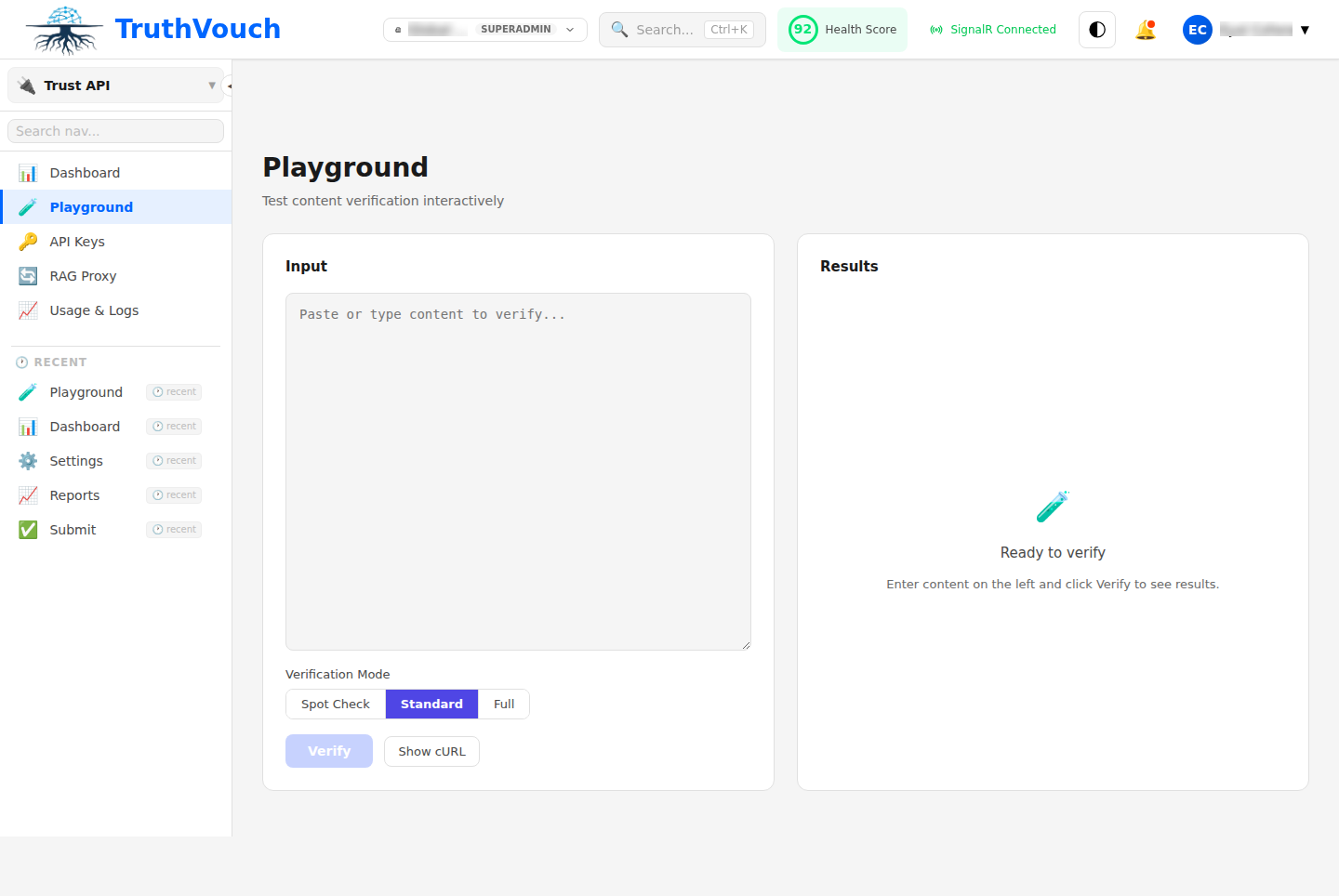
- In the Trust API dashboard, click Playground in the top tab bar
- Select a Truth Nugget set from the dropdown
- Paste any content into the input box — try a marketing email, a chatbot response, or a product description
- Click Verify and inspect the structured response
The playground response includes a visual trust score gauge, a highlighted view of flagged claims in context, and a side-by-side comparison of what was said vs. what your Truth Nuggets say.
Next Steps
You have made your first verification call and understand the response format. Here is where to go next:
- API Reference — Complete endpoint documentation including batch verification (
POST /api/v1/verify/batch), async verification with webhooks, streaming responses, and all request/response schemas. - SDKs — Official Python and Node.js SDKs are available at
pip install truthvouchandnpm install @truthvouch/sdk. They wrap the REST API with typed models, automatic retries, and rate limit handling. - Connect Your LLM App — Use the RAG Proxy for zero-code integration that automatically verifies every LLM response in your application.
- Set Up Your Truth Nuggets Knowledge Base — The quality of your Truth Nuggets directly determines the accuracy of verification. Learn how to structure an effective knowledge base.