When a prospect asks ChatGPT, Claude, or Gemini about your company, what do they hear? If you do not know the answer, you have a brand risk problem. LLMs are now a primary research channel for B2B buyers — and they routinely hallucinate wrong pricing, discontinued features, outdated positioning, and competitor comparisons that never happened.
TruthVouch Brand Intelligence gives your marketing team continuous visibility into how every major AI platform represents your brand, with automated alerts when something goes wrong and measurement tools to track your AI visibility over time.
The Problem: LLMs Hallucinate About Brands
Large language models are trained on web data with a cutoff date. They do not have access to your latest pricing page, your rebranding announcement, or the feature you deprecated two quarters ago. This creates systematic, predictable errors:
- Wrong pricing: LLMs frequently cite outdated pricing tiers, especially after a pricing change
- Deprecated features: Features you removed are still described as current capabilities
- Wrong positioning: Competitors’ positioning language gets attributed to you, or vice versa
- Fabricated integrations: LLMs claim you integrate with tools you have never supported
- Tone and brand voice mismatches: Descriptions that are technically accurate but violate your brand guidelines
These errors are not random — they are consistent across queries and affect every prospect who researches your brand through an AI assistant. For enterprise software companies, where a single deal can be worth six figures, a factual error in ChatGPT’s response can meaningfully affect pipeline.
Step 1: Navigate to Brand Intelligence
- Log in to app.truthvouch.ai
- Select Brand Intelligence from the left sidebar
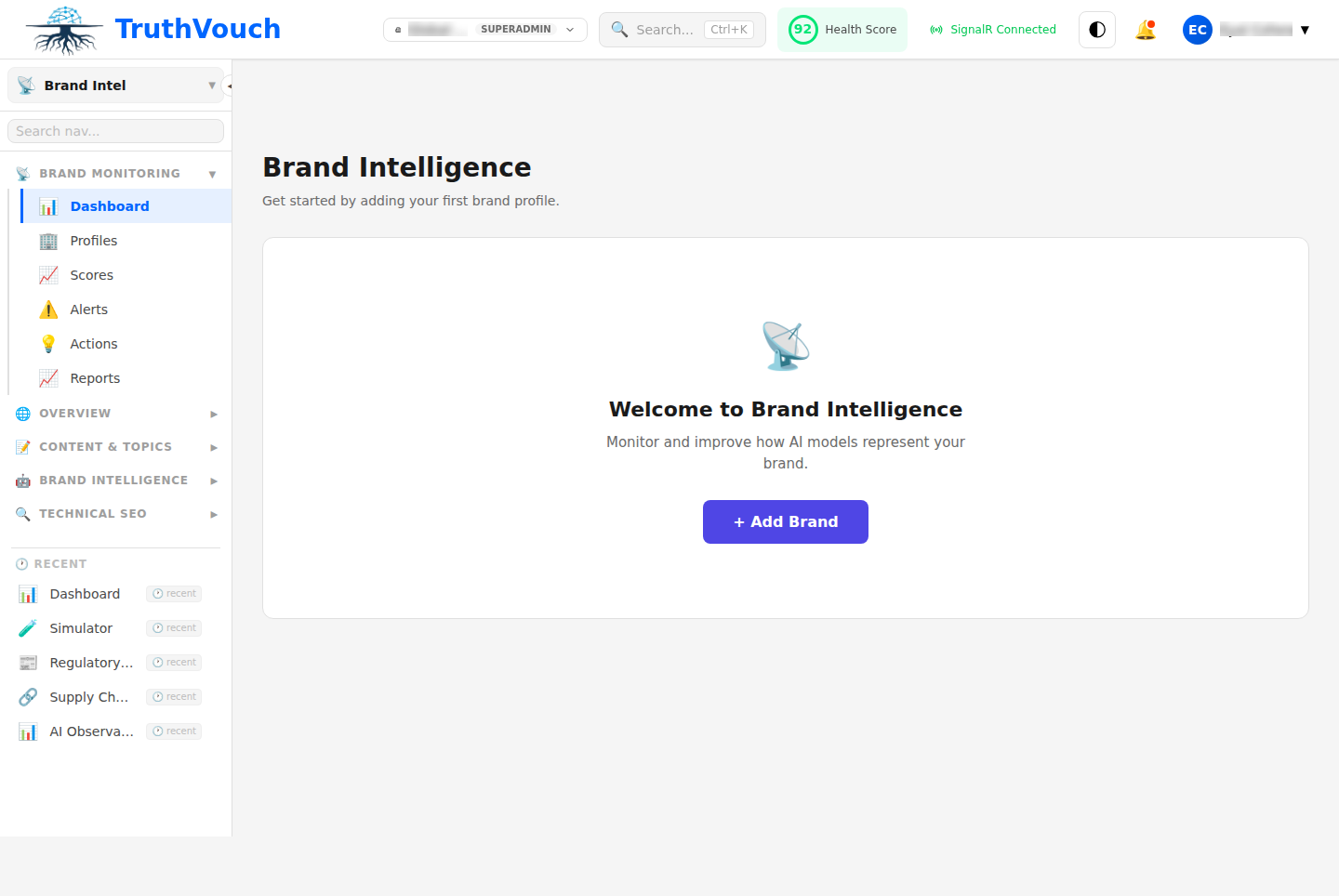
- You will land on the Brand Intelligence overview
If this is a new account, the overview will prompt you to create your first Brand Profile. Brand Profiles are the central configuration objects — one per brand or product line you want to monitor.
Step 2: Create Your Brand Profile
Click + New Brand Profile to open the brand profile creation wizard.
Brand basics
- Brand name: Your primary brand name exactly as you want AI to use it (e.g. “TruthVouch”, not “Truthy” or “TruthVouch AI”)
- Also known as: Alternate names, former names, or common abbreviations LLMs might use (e.g. “TV” as an abbreviation, or a former company name)
- Industry: Select your primary industry for benchmark comparisons
- Company stage: Startup / Growth / Enterprise — affects how we calibrate hallucination severity scoring
Key facts to protect Add the 5–10 facts you most need AI models to get right. These become Monitoring Truth Nuggets — the specific claims TruthVouch will probe and verify continuously.
Examples:
- Your current pricing tiers and price points
- Your primary value proposition (one sentence)
- Key product capabilities — what you do and, importantly, what you do not do
- Your primary competitors (so TruthVouch can detect misattributions)
- Any sensitive claims you have had misrepresented before
Competitors to track Add up to 10 competitor names. TruthVouch will monitor how LLMs compare you to competitors and alert you to inaccurate comparisons.
Click Save Profile to continue.
Step 3: Configure Monitoring Sources
TruthVouch monitors your brand across 7 major AI search engines. Configure which ones to include in your monitoring sweep.
Available monitoring sources:
- Google AI Overview — Google’s AI-powered search results feature
- Google AI Mode — Google’s conversational AI mode
- Perplexity — Leading independent AI search engine
- ChatGPT Search — OpenAI’s search-enabled chat interface
- Microsoft Copilot — Bing-powered conversational AI with search integration
- Grok — X/Elon Musk’s AI platform with web search
- Gemini Web — Google’s Gemini with web search capabilities
For each source, configure:
- Monitoring frequency: How often TruthVouch sends probing queries (hourly, daily, weekly)
- Query types: Brand description queries, pricing queries, comparison queries, feature queries
- Alert threshold: Minimum confidence level to trigger an alert (recommended: 0.75)
For a new brand monitoring setup, start with the three most widely used platforms (ChatGPT Search, Google AI Overview, Perplexity) at daily monitoring frequency. Once you understand your baseline hallucination patterns, expand coverage.
Step 4: Set Up GEO Monitoring
GEO stands for Generative Engine Optimisation — the discipline of improving how AI models represent your brand, analogous to SEO for traditional search. TruthVouch’s GEO module tracks your brand visibility and sentiment across AI platforms over time.
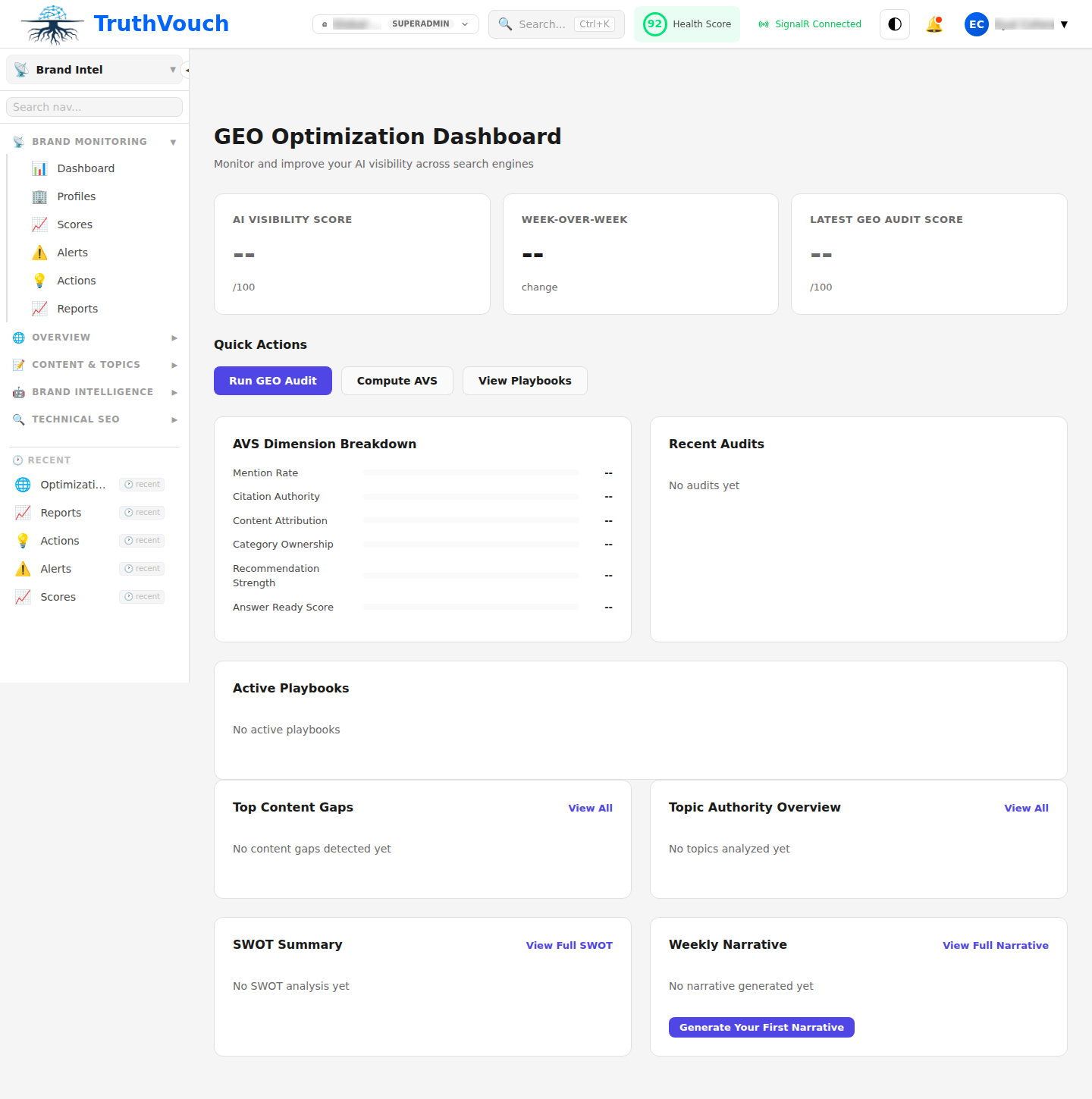
The GEO dashboard tracks:
AI Mention Frequency: How often your brand is mentioned when users ask questions in your category. If a prospect asks “What are the best AI compliance tools?”, does your brand appear?
Share of Voice: Your mention rate relative to your identified competitors in the same category queries. This is your AI visibility benchmark.
Sentiment Analysis: When your brand is mentioned, is the framing positive, neutral, or negative? LLMs sometimes introduce subtle negative framing even when the facts are technically correct.
Query Coverage: Which query types surface your brand — and which do not? You might appear in “hallucination detection” queries but be absent from “AI governance” queries, revealing a positioning gap.
To configure GEO monitoring:
- Click GEO Settings in the Brand Intelligence navigation
- Define your target query categories (the topics where you want AI to mention your brand)
- Add 10–20 representative queries your target buyers might ask AI assistants
- Set baseline date — GEO trends will be measured from this point
TruthVouch will run your query list against each monitored AI platform on the configured schedule and populate your GEO dashboard within 24 hours.
Step 5: Configure Alert Thresholds and Notifications
Monitoring without alerting is not monitoring. Configure how and when TruthVouch notifies your team when it detects a brand accuracy issue.
- Navigate to Brand Intelligence > Alert Settings
- Set alert thresholds by severity:
- Critical: Direct factual contradiction of a key brand fact (e.g. wrong price, wrong founder name, wrong company description). Alert immediately via email and Slack.
- High: Likely inaccuracy with high confidence (e.g. deprecated feature described as current). Daily digest.
- Medium: Possible inaccuracy or ambiguous framing. Weekly digest.
- Configure notification channels:
- Email: Add individual recipients and distribution lists
- Slack: Connect your workspace via the Integrations settings page and select a channel
- Webhook: POST alert payloads to your own endpoint for custom handling (e.g. create a Jira ticket)
- Configure escalation: Who gets notified if a Critical alert is not acknowledged within 4 hours?
For marketing teams, we recommend routing Critical alerts directly to the brand manager and Head of Marketing, with High alerts going to the broader marketing team in a daily digest.
Step 6: Review Your Brand AVS Score
The Brand AVS (AI Visibility Score) is TruthVouch’s composite metric for your brand’s presence and accuracy across AI platforms. It is a 0–100 score that combines accuracy rate, mention frequency, share of voice, and sentiment quality.
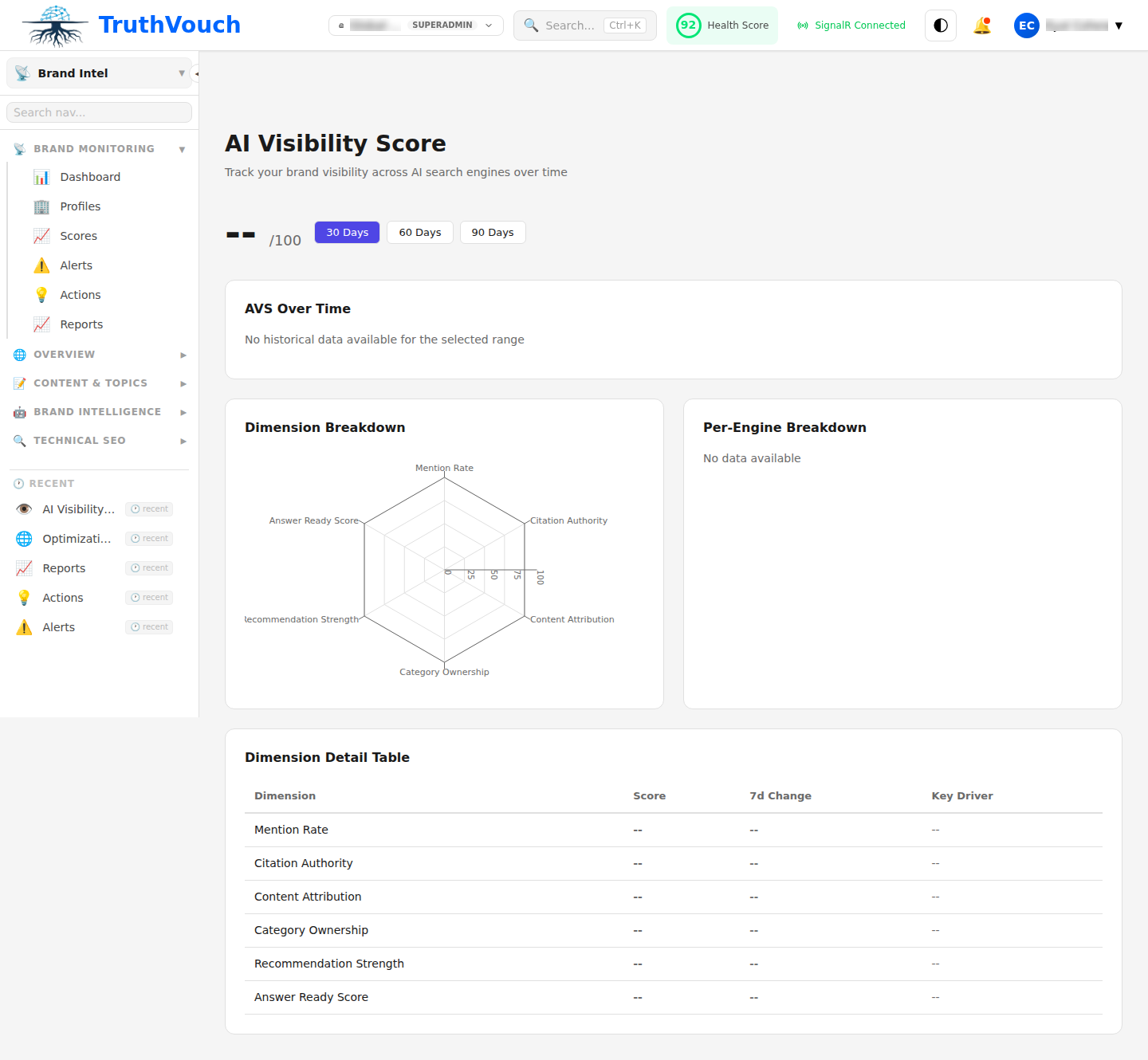
The AVS has four components:
| Component | Weight | What it measures |
|---|---|---|
| Accuracy | 40% | What percentage of AI responses about your brand are factually correct |
| Visibility | 30% | How often your brand appears in relevant category queries |
| Share of Voice | 20% | Your mention rate relative to competitors in the same queries |
| Sentiment | 10% | Tone and framing quality of AI responses mentioning your brand |
A healthy Brand AVS is above 75. Scores below 60 indicate significant AI representation problems that require immediate attention — typically a combination of low accuracy (factual errors) and low visibility (the model does not know you well enough to describe you accurately).
The AVS dashboard also shows your historical trend, enabling you to measure the impact of actions you take — updating Truth Nuggets, submitting corrections, publishing new content that gets indexed — on your AI brand representation over time.
Next Steps
You have set up comprehensive brand intelligence monitoring across all major AI platforms. Here is how to build on this foundation:
- Brand Intelligence product page — Explore the full feature set including the Brand SWOT analysis, which identifies AI-perceived strengths and weaknesses your team may not be aware of.
- Set Up Your Truth Nuggets Knowledge Base — Adding Brand-category Truth Nuggets dramatically improves the accuracy of your monitoring by giving TruthVouch more specific facts to verify against.
- Book a brand monitoring walkthrough — Our team can review your Brand AVS results with you and help design a GEO strategy to improve your AI visibility score.